Error Explorer Improvements
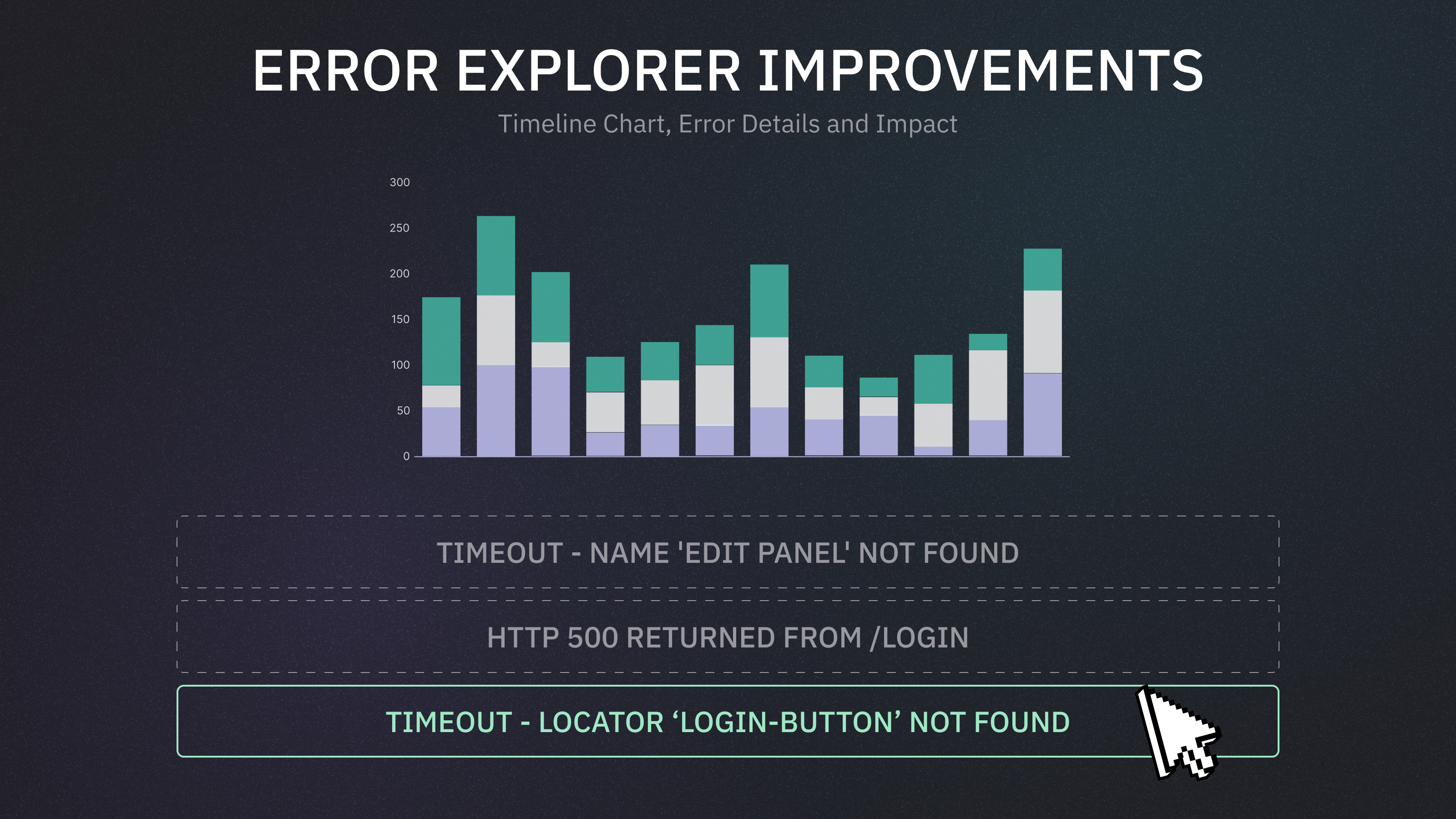
Error Explorer highlights the errors impacting your CI executions, making it easier to identify patterns and root causes.
The new, improved Error Explorer view introduces the following improvements:

Error Distribution Timeline
The Errors Explorer displays a timeline chart showing the daily distribution of error messages over the selected period. You can switch the metric and adjust how many top errors to display. Top errors are ranked by their total value for the selected metric across the period.
Error Metrics
Occurrences - how often an error has caused a failure or a flaky behaviour during the selected period, based on the active filters. This metric counts all occurrences — including repeated ones from the same test. For example, if the error message
TimeoutError: Navigation timeout of 30000 ms exceededoccurred 5 times intest Aand 10 more times across other tests, the total count will be 15.Affected Tests - how many unique tests were impacted by this error during the selected period. Each test is counted once, even if the error occurred multiple times in it. For example, if the same error appears 5 times in one test and 3 times in another, the Affected Tests count will be 2.
Affected Branches - how many unique branches encountered this error during the selected period. Each branch is counted once, even if the error occurred multiple times on it. For example, if the error shows up 10 times on main and 3 times on feature/login, the Affected Branches count will be 2.
Individual Error Message Details
Clicking an error item reveals more details about that specific error

Affected Tests – A list of tests impacted by the error, sorted by how often it occurred. These are tests that failed or flaked due to this error. Click a test title to view its details in the Test Explorer.
Recent Executions – A chronological list of the most recent test runs affected by this error. Clicking on a test title reveal its details in the Test Explorer, clicking on the commit message opens the specific execution details.
Affected Branches – A list of branches where this error occurred, sorted by occurrence count.